As a writer, I’ve learned that I can’t do everything on my own. While I rely on fellow writers and readers for some of the process, there are actual tools I use that help me out that you might find useful, too!
Productivity – Word Count Goals
There’s a wonderful website called Pacemaker that lets you calculate how many words you need to write daily in order to meet a specific date deadline. You can choose your pace, too–you can write the same amount of words daily, or start small and then advance to more words the longer you write, or work at a varying pace. I’ve used Pacemaker for years but I have to admit, I let the ball drop on The Name and the Key and logging my word counts there. I am unable to write every day. I’ve tried this a bajillion times and always fail. So I sort of pushed Pacemaker aside.
Here’s what it looks like. This shows a draft of The Name and the Key I had attempted in 2023 before completely stopping. This was well before I was offered my three-book deal.
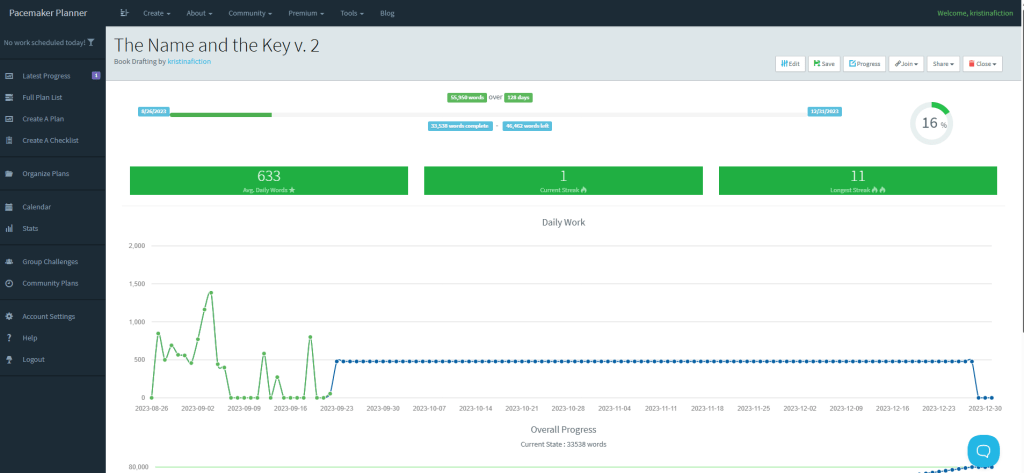
As you can see, my productivity is all over the place, with a lot of days with no writing at all. My writing schedule is apparently as bipolar as my mind is, with highs and lows in sometimes no discernable pattern. But when I actually pushed myself really hard and met my daily counts, I made a ton of progress.
Over the past year or so I wanted to get back into logging my word counts, and I found on Ko-fi a cute shop that designs social media graphics for writers: MGS Desiigns. I discovered them through Threads and their graphics start at $1. They are made with Canva, so you need an account (many times a Canva Plus account), and they are mostly geared towards sharing on Instagram. However, I share my word count graphics on Facebook and Threads primarily. Here’s what the latest one looks like, for The Step and the Walk (which I just started):
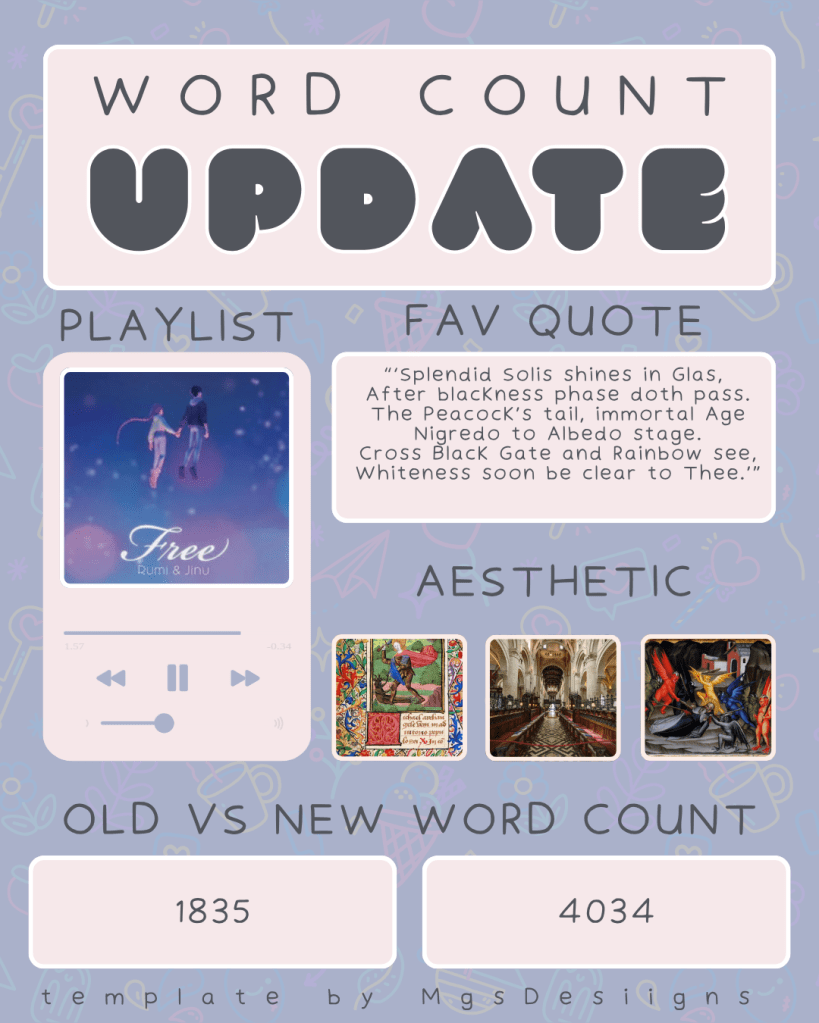
Whenever I sit down to write–and notice this doesn’t have me log the dates–I just update my counts with a before and after. I love that I have a space for sharing music, aesthetics, and a book quote.
This social media accountability method works a bit better for me than Pacemaker because I have a lot more fun with it, and it’s more aesthetically pleasing to me. I like to hold myself publicly accountable, whereas Pacemaker gives you more privacy.
Whether you nab some social media templates for authors, or use Pacemaker as a productivity planner for word counts, I would recommend either one. They each have helped me out.
Worldbuilding – Character and Place Names
I’ve been told I’m good at naming (yay!). When I come up with names I try to use sound and musicality when I make them, and then add a dash of meaning courtesy of the unbelievably thorough and helpful website, Behind the Name. I’ve used it for years.
You can search by male, female, or unisex; you can choose the nationality or language origin; or you can search by meaning first and then find something that sounds appealing to you. I tend to search by meaning.
Here’s what the browsing page looks like:
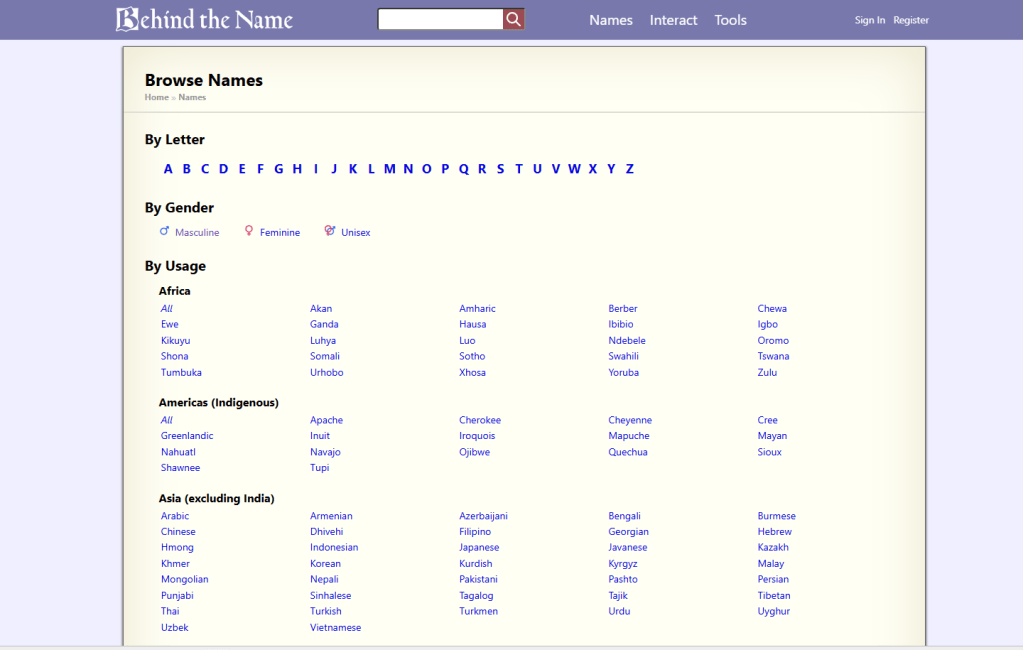
It actually goes on for even longer, where you can select names by time period and era; from literature and mythology; and religion and popular culture.
I used to buy old Writer’s Digest Books like The Character Naming Sourcebook to help me out with naming, but those went the way of the dodo when I found this website. It’s very user friendly and I love being able to search by meaning. I hope you give this a try!
Royalty-free Stock Images
I go to three different websites for beautiful photographs.
UNSPLASH – this is one of the oldest free photo websites on the internet. I’ve used them for a decade; maybe longer. They somewhat recently partnered with iStock for some of the imagery and also created Unsplash + which is a paid subscription that includes some really stunning photography–basically the best of their best.
I’ve always relied on their free-to-use pictures. Here’s their terms and conditions:
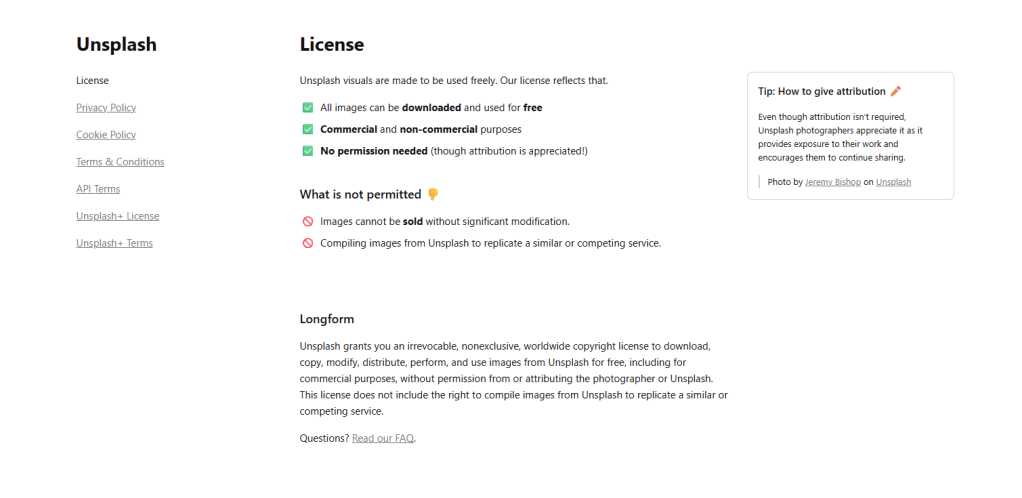
I’ve used Unsplash to make my PowerPoints for college classes really snazzy, but perhaps most of all, I use them for my website and social media. They’re my top recommendation.
DEPOSITPHOTOS – I discovered this site through App Sumo, where they run a deal for one download code (100 images) for $39. They’re running the promotion now, though I don’t know for how long. (I’m not an affiliate so I don’t get commissions from you clicking the link or ordering the download code). Anyway, I was living in Japan when I started using depositphotos, and I loaded up on the $39 codes every year. As of writing this, I still have 360 downloads available. As with Unsplash, I use them for making PowerPoints for my lessons, and for social media templates and this website.
Here’s a quick look at their terms, of which the default is the Standard License.
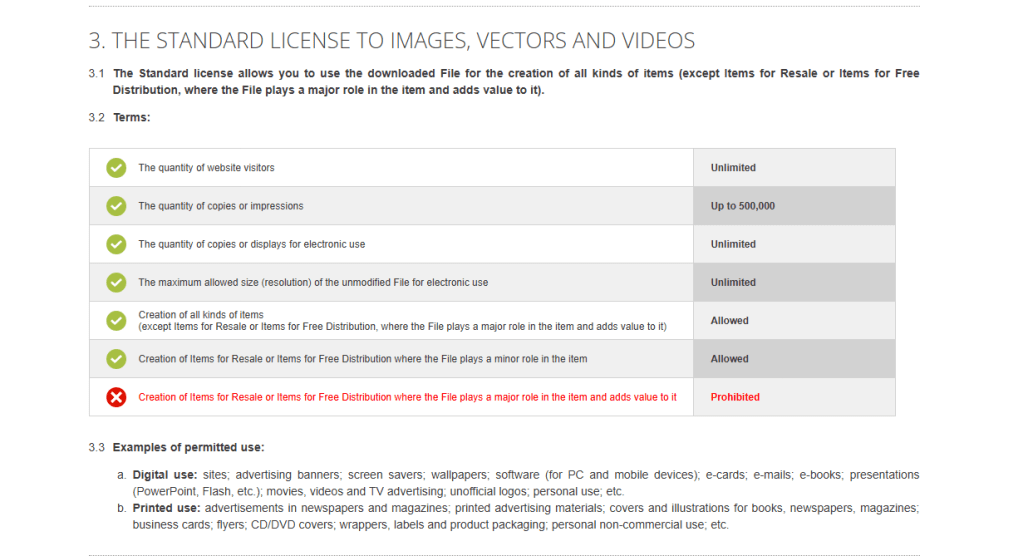
Because I have so many freaking downloads available, I’ve been trying to use their services more, and find the photographs to be quite stunning. I’m very happy with their quality.
WIKIMEDIA COMMONS – I use this website if I want to find images of historical works, such as paintings, tapestries, and sculpture. I don’t rely on this site very often but when I need something that isn’t available at Unsplash or depositphotos, I check Wikimedia out.
Licenses vary at Wikimedia. You could have a Creative Commons License, and the different types dictate different rules, or you could have works in the Public Domain. When you go to download images, just be really mindful of the license and whether or not you need to credit the source.
That’s it for now…
I only recommend products that I actually use regularly and that have genuinely helped me out. Maybe you’ve heard of these sites; maybe not. I hope that you find something helpful here for when you set out to write!


Leave a comment